Enterprise Permissions
Redesigning how 150K+ T-Mobile employees get access to internal tools, owned end-to-end by content teams instead of IT tickets.
One intranet for 150,000+ employees, permissions owned by content teams.
We were consolidating three platforms into one intranet for 150K+ employees. The support systems around it had to evolve with the platform, not lag behind launch.
I owned design and shared product ownership with product and business teams across requirements, testing, and onboarding.
Partnered with TPM, technical architect, design systems, and accessibility.
Access workflows were split across three platforms, and AEM, our new CMS host, had no out-of-the-box permissions management.
Every permission change was an IT ticket. Content teams waited days for access they should have been able to grant themselves.
A permission system content teams run themselves: designed, tested, and shipped end to end.
Grounding the model in how permissions already work, and who would run this one.
Cross-market analysis (SharePoint, Azure, Airtable) plus interviews with admins, content owners, and compliance.
What authors were already living with
From interviews with content authors, admins, and compliance.
-
There's no way to see all permissions applied across all sites in one place.
-
If you break inheritance at one level, it's impossible to tell, and it breaks all nested pages as well.
-
I have to wait for days to get access changed. Sometimes that impacts publishing workflows, or the visibility needed for testing and leadership.
-
It's hard to be sure whether site and page access is content compliant.
Current tools
Each platform had pieces worth borrowing - and each assumed a technical operator.
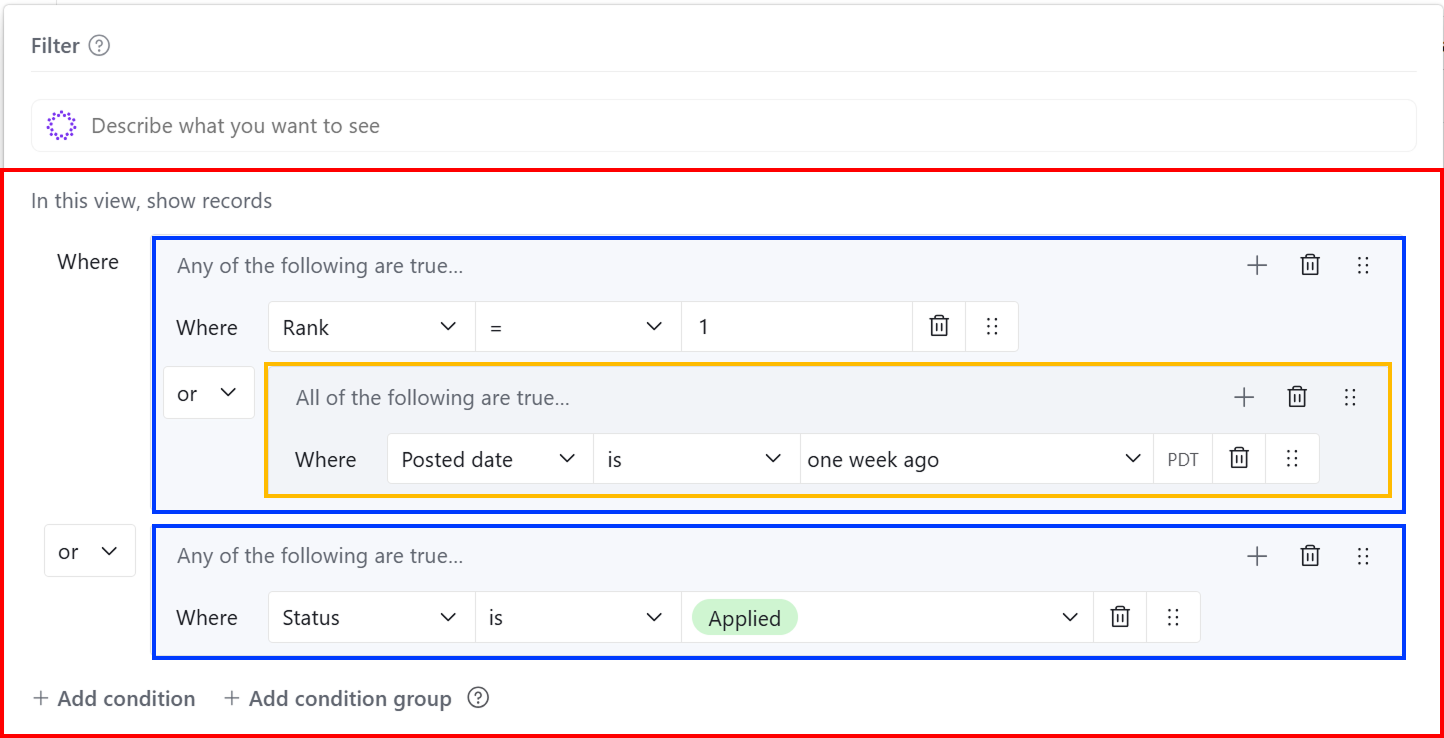
Visual AND/OR condition nesting. Good model for our dynamic rule creator.
Progressive add-condition pattern keeps it approachable. Users build complexity as needed.
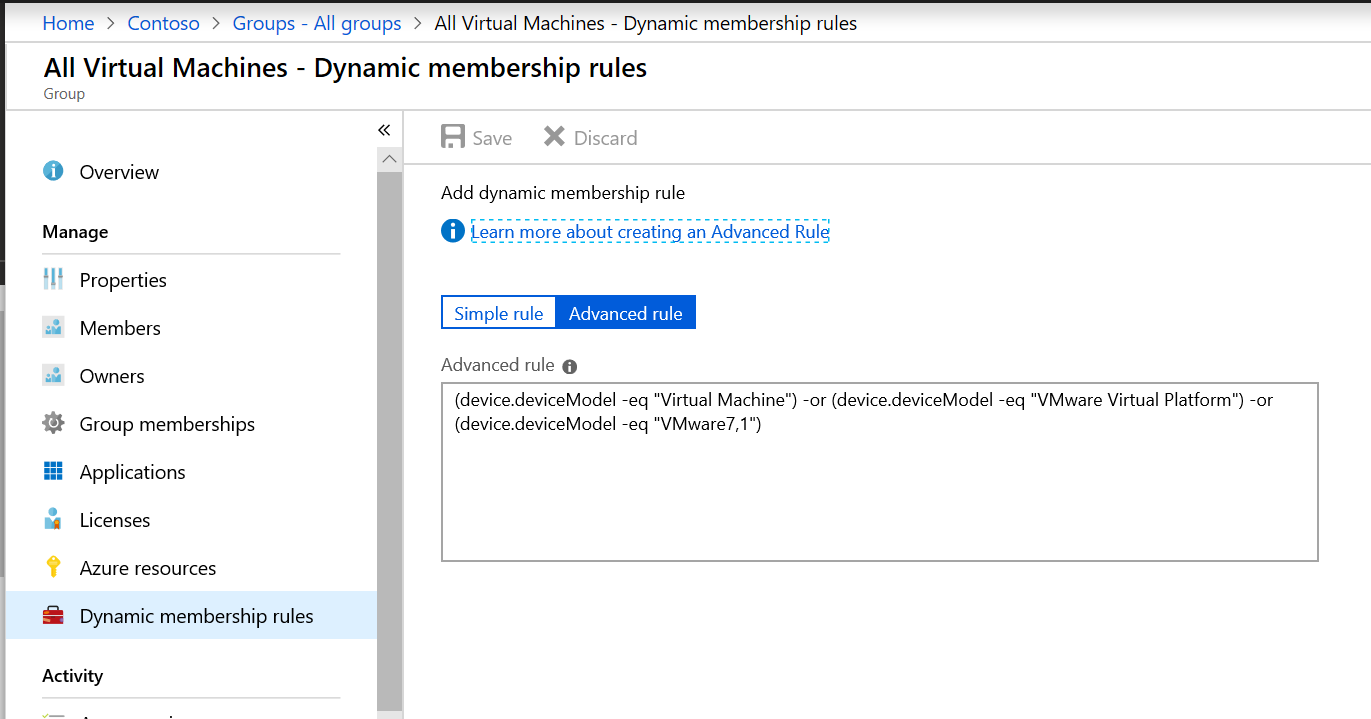
Simple vs. advanced rule toggle. Guided builder for most users, raw expressions as an escape hatch.
Dynamic group membership based on attribute rules. Informed our auto-assignment approach.
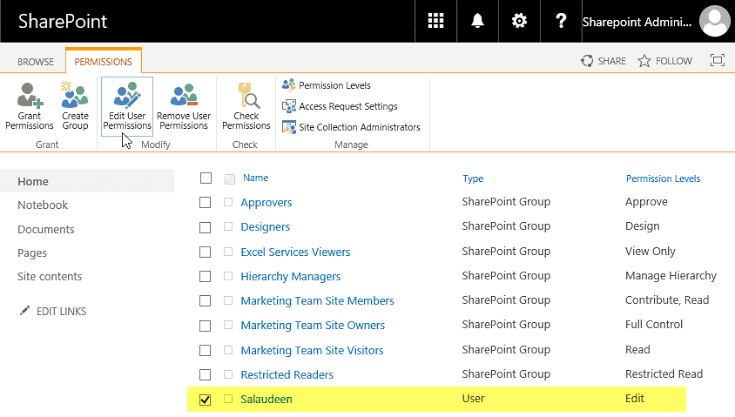
Groups and individuals in one list with named permission levels. Clean reference for apply permissions.
Named roles (Full Control, View Only) over checkbox grids. Less cognitive load.
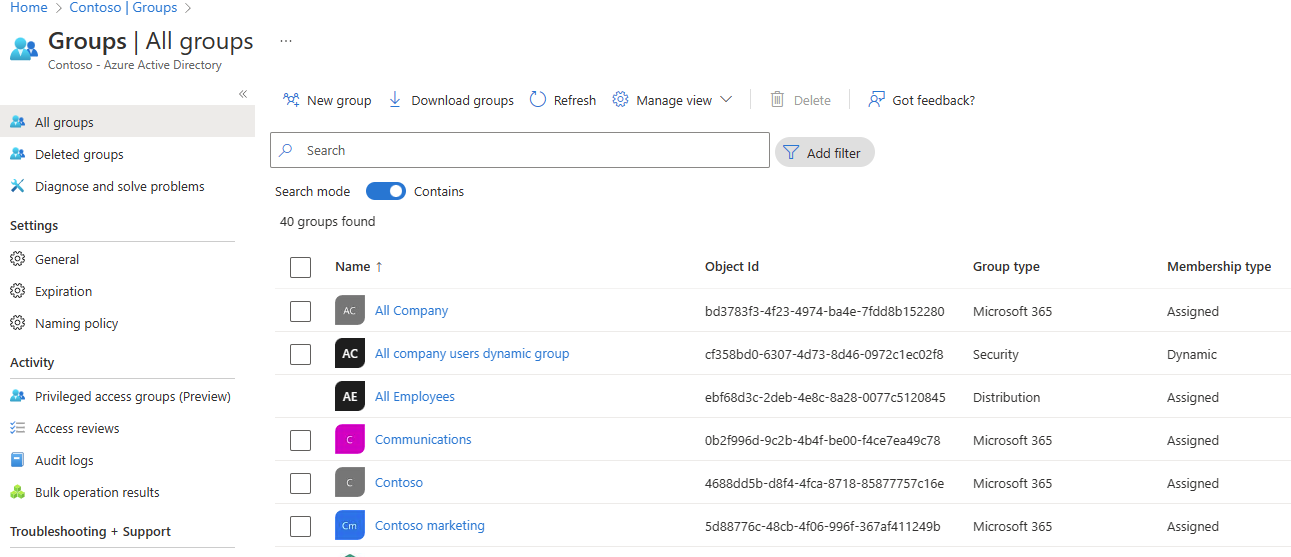
All groups overview with type labels (Microsoft 365, Security) and membership type (Assigned, Dynamic).
Filtering and search built into the list. Reference for our manage groups view.
Four constraints that shaped the model
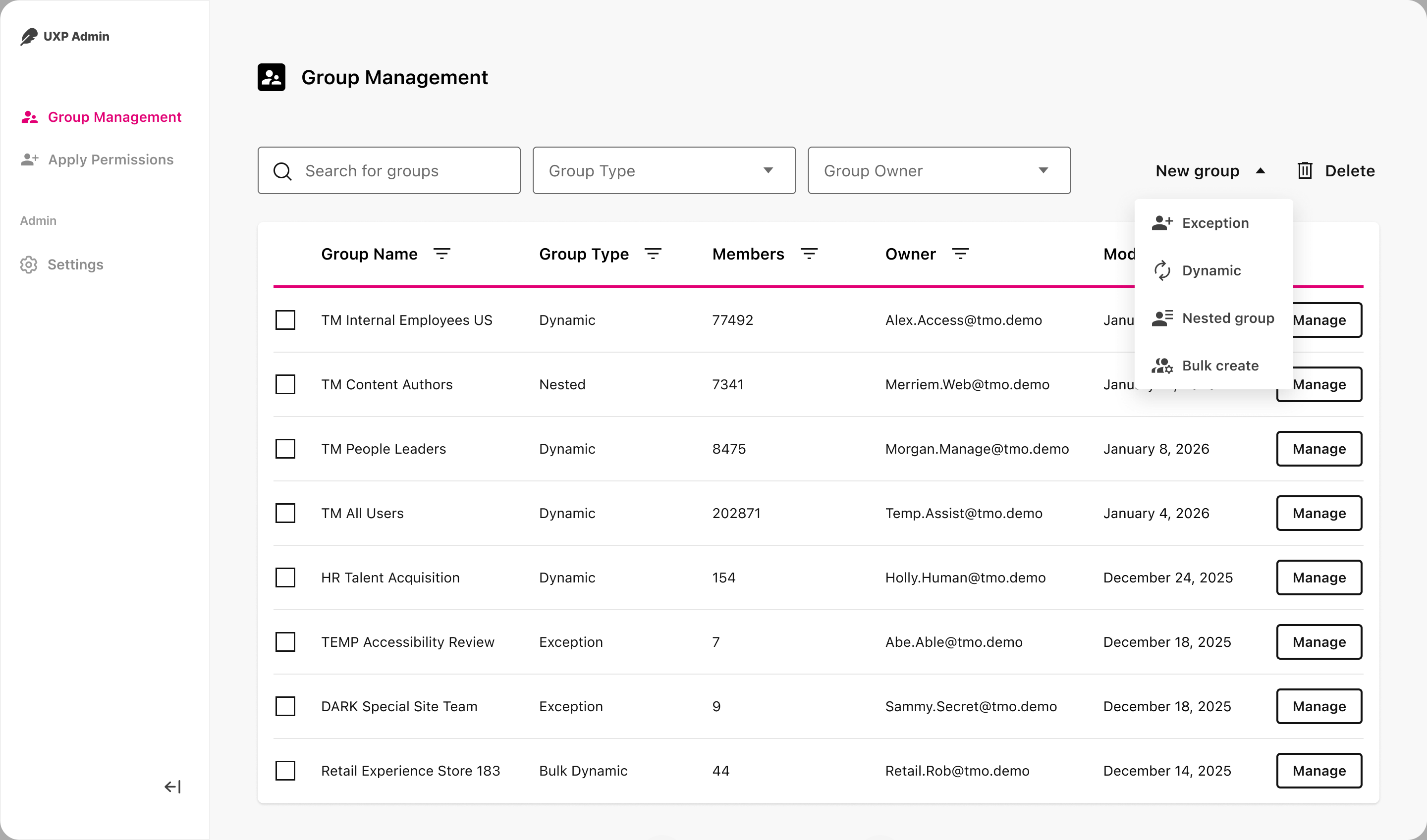
Four group types, each with explicit ownership and expiration, so groups can’t sprawl.
Dynamic and exception groups shipped at launch; bulk dynamic and nested groups followed later, by request.
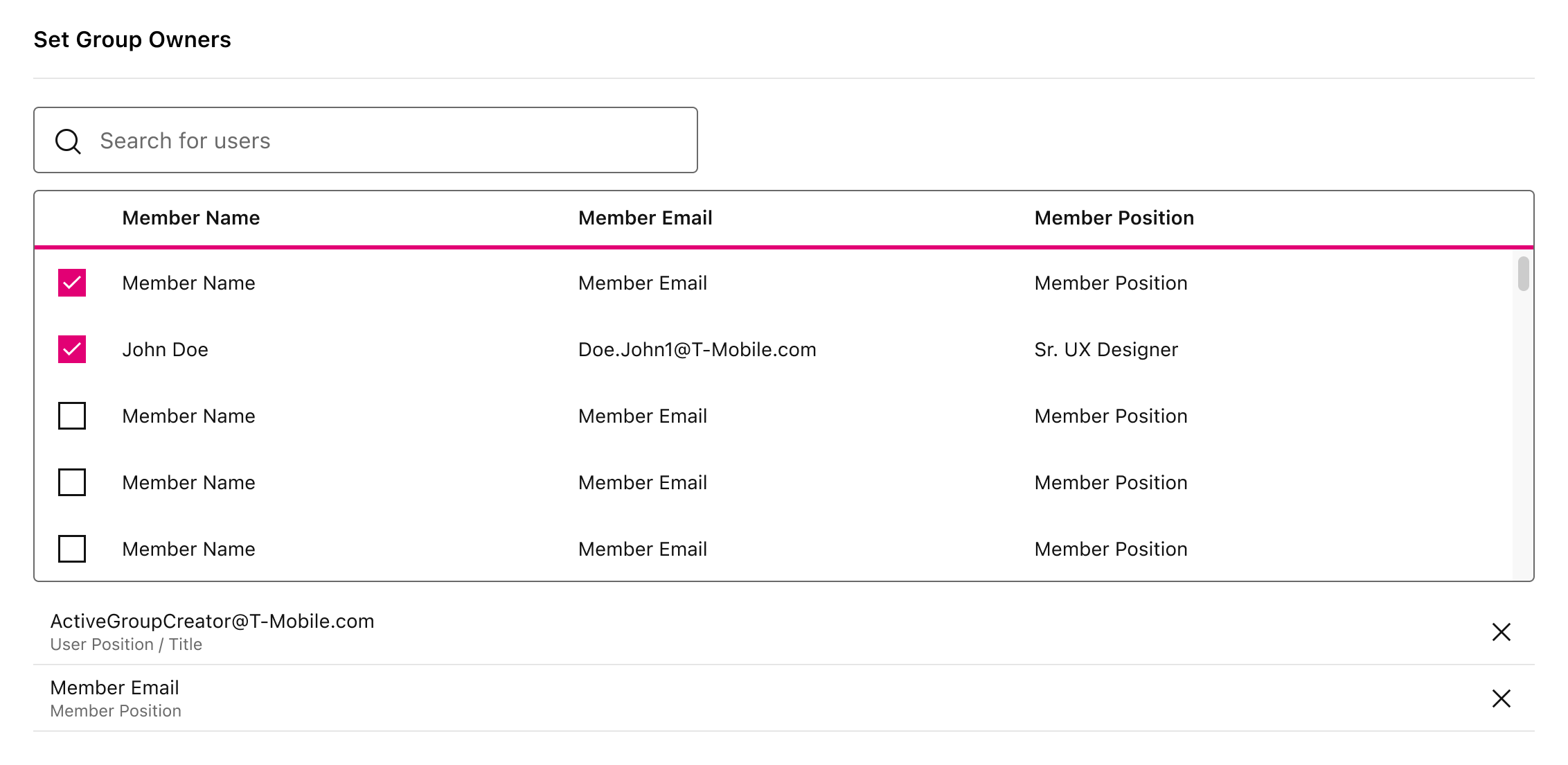
Ownership is required at creation, not discovered later in an audit.
Every group names its owners up front. That made accountability visible from day one and gave content teams a clear person to ask when access needed to change.
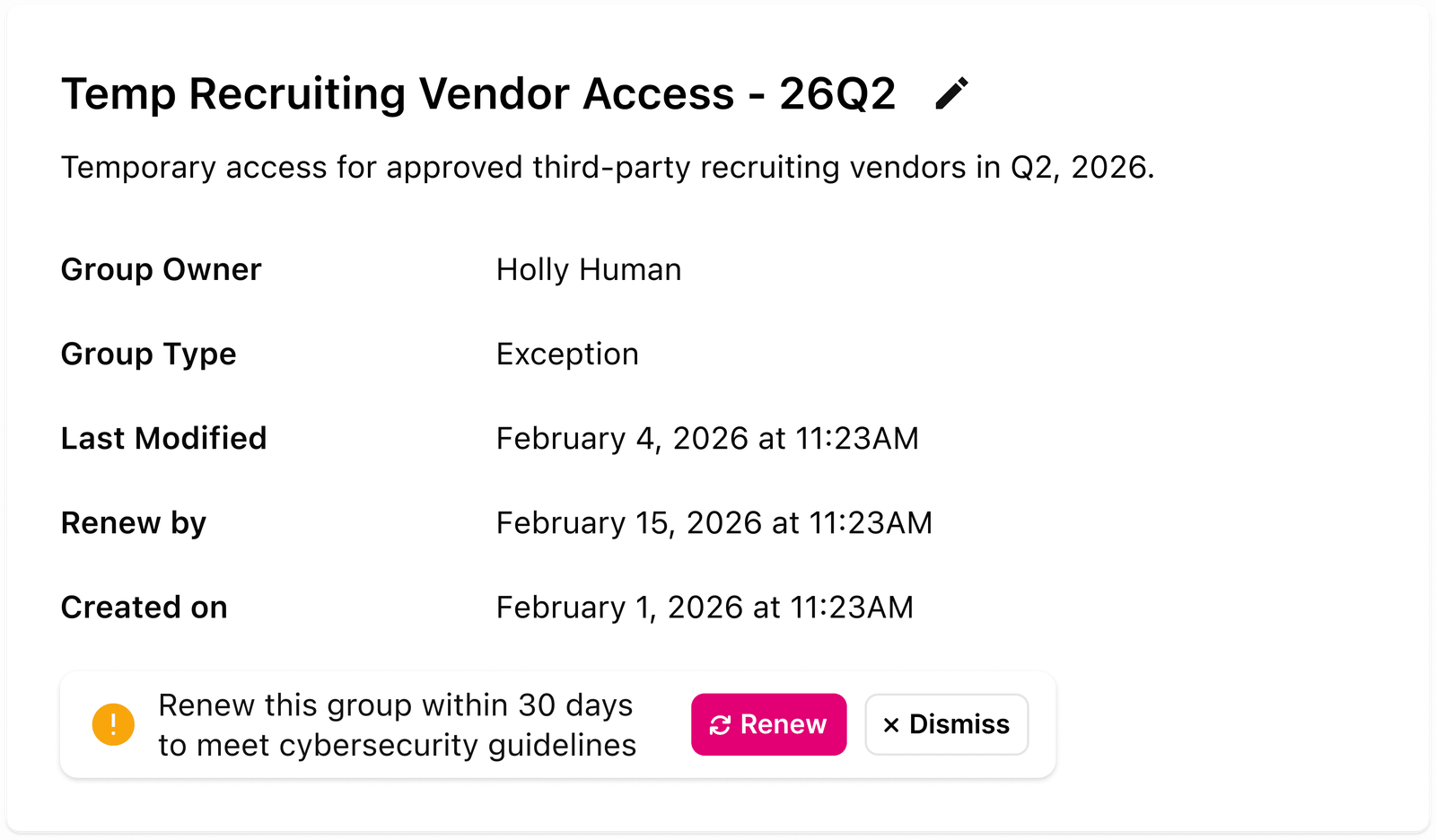
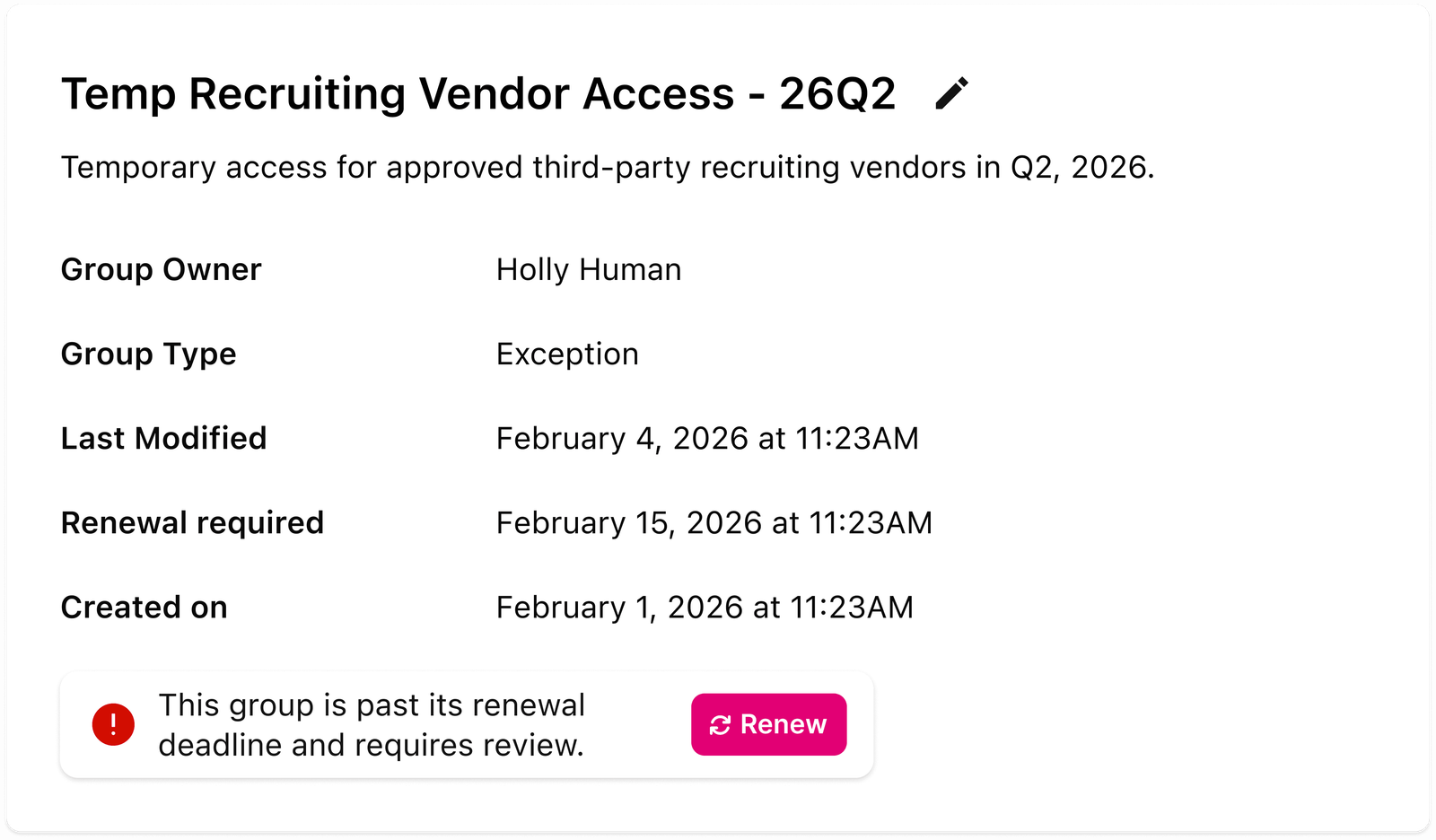
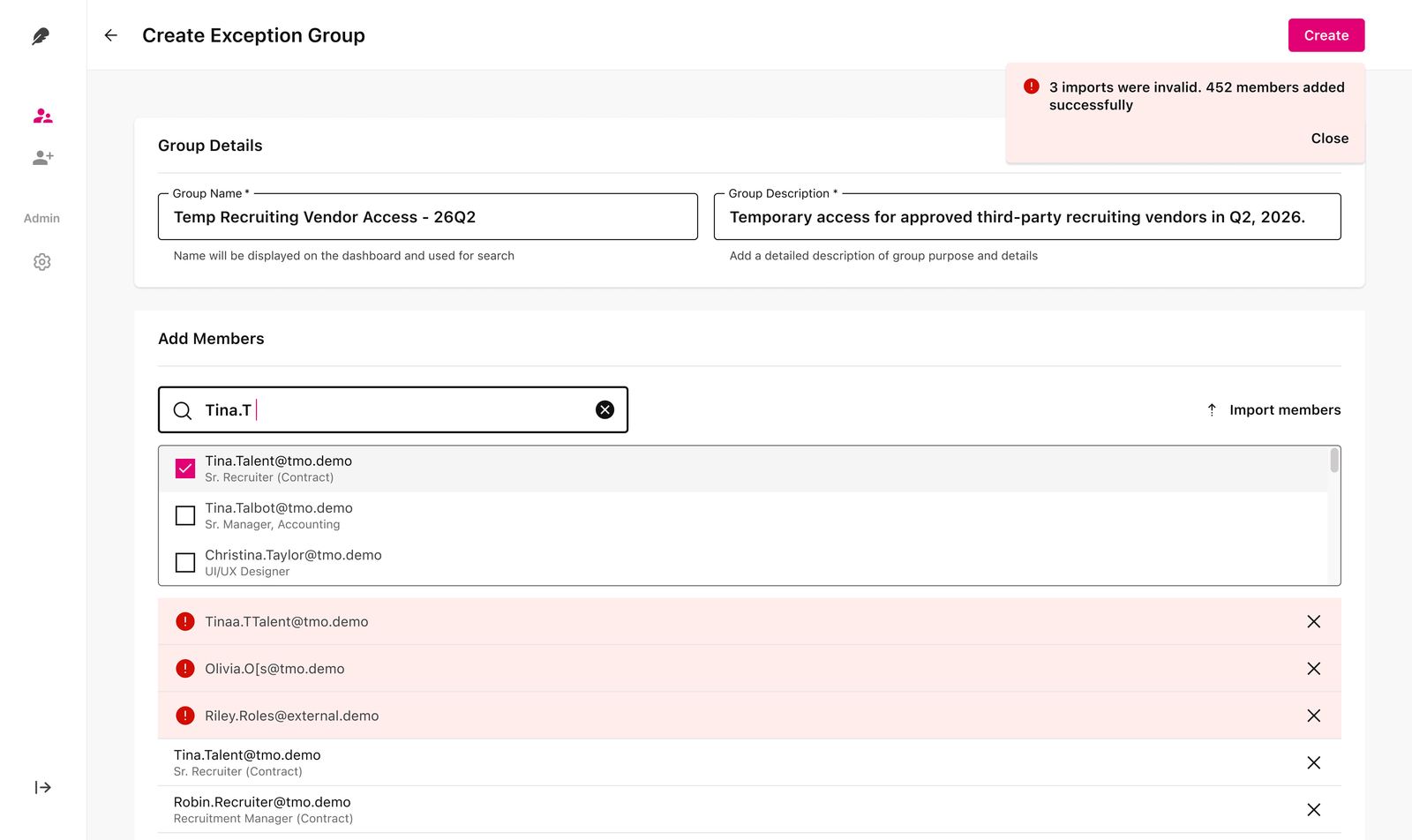
Exception groups escalate, then lock, so temporary access cannot quietly stick around.
Renewal prompts appear as the deadline nears. Past the deadline, the group requires review before it can keep granting access.
One loop from group definition to page access, with governance at every step.
Admins define reusable audiences. Authors apply them when content ships. Inheritance and expiration keep the system honest after launch.
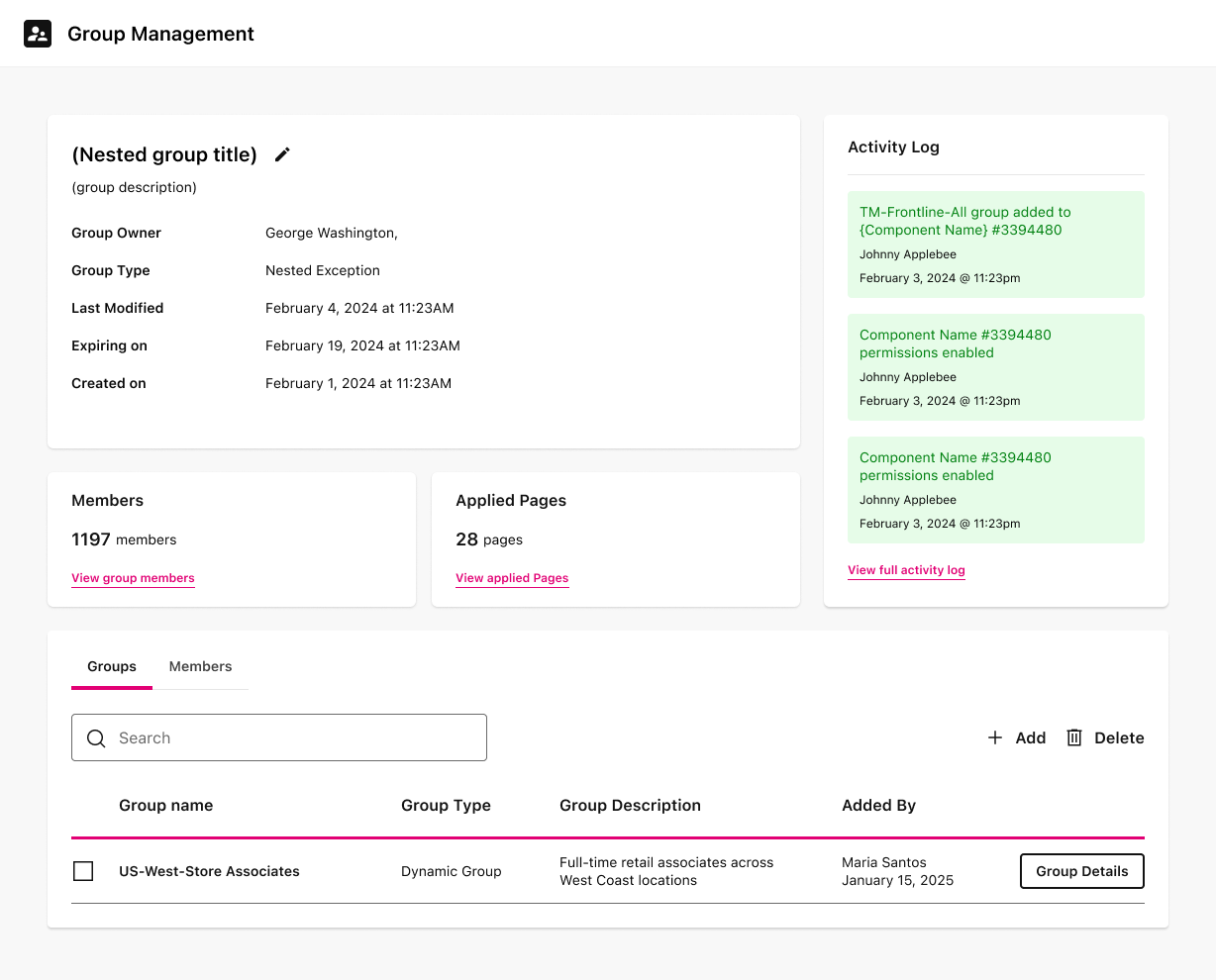
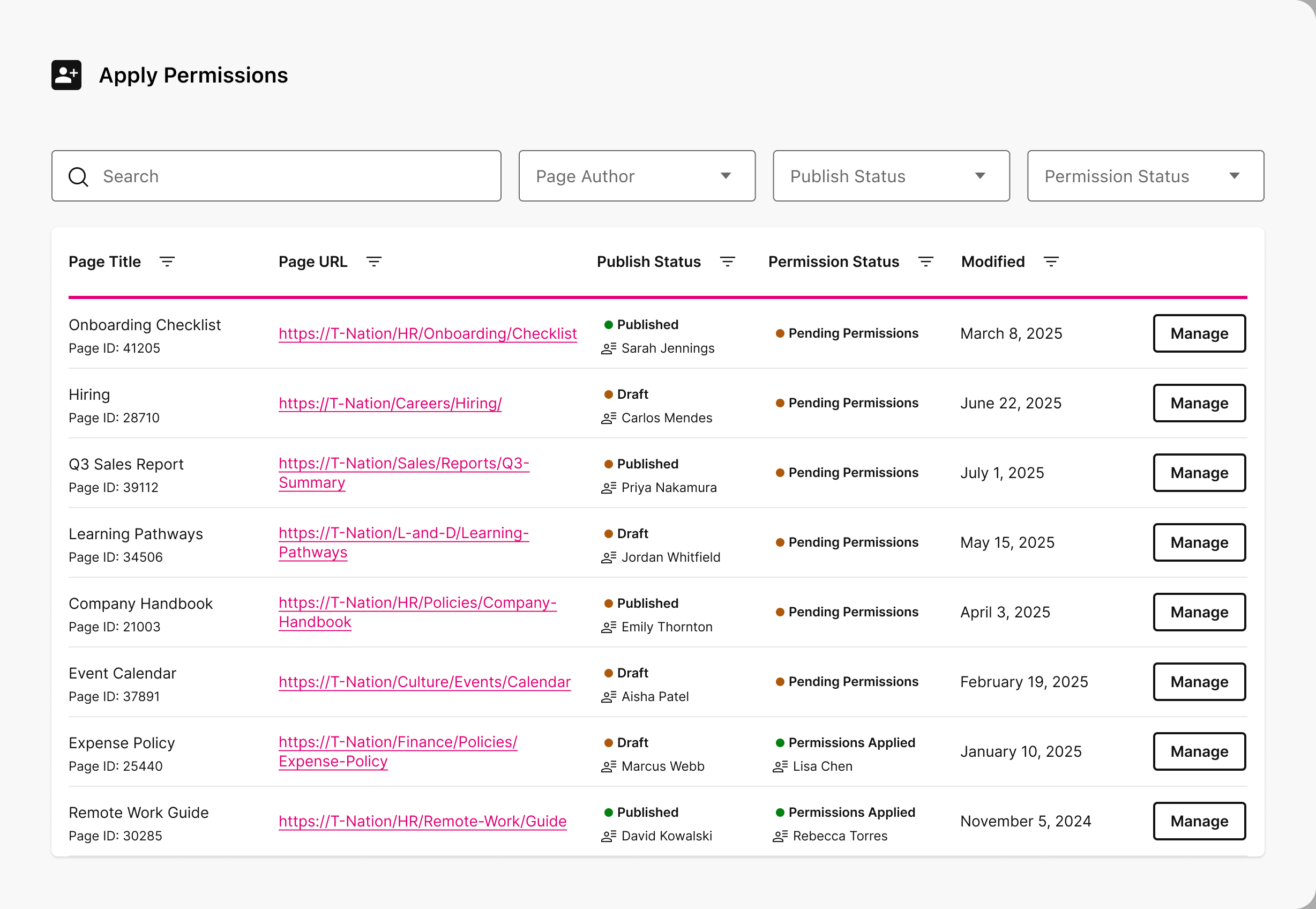
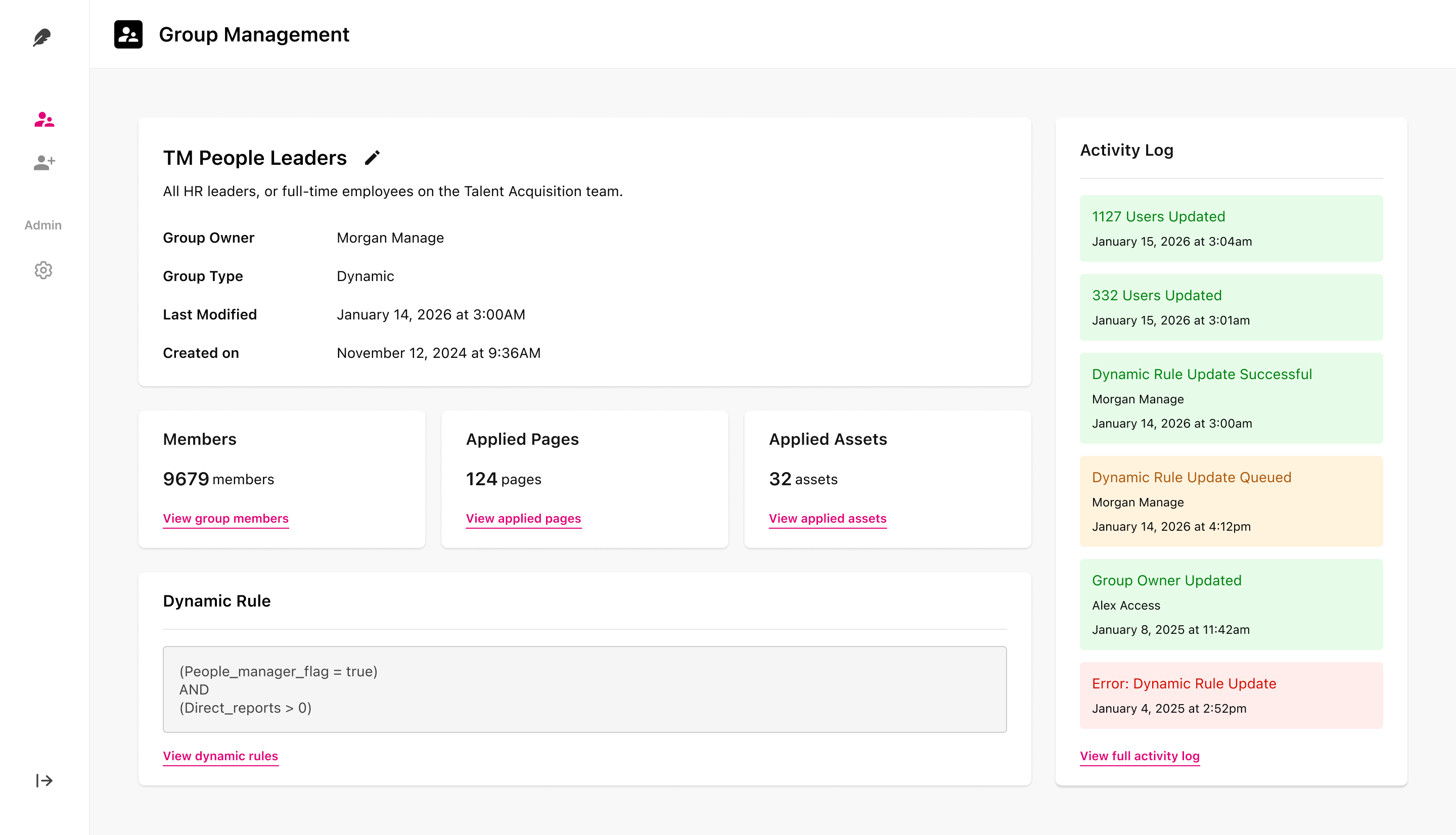
The same group model, shown where each role needs it.
Admins start in Group Management: find a group, open details, manage membership and rules. Authors work in Apply Permissions at publish time, with publish and permission status side by side before go-live.
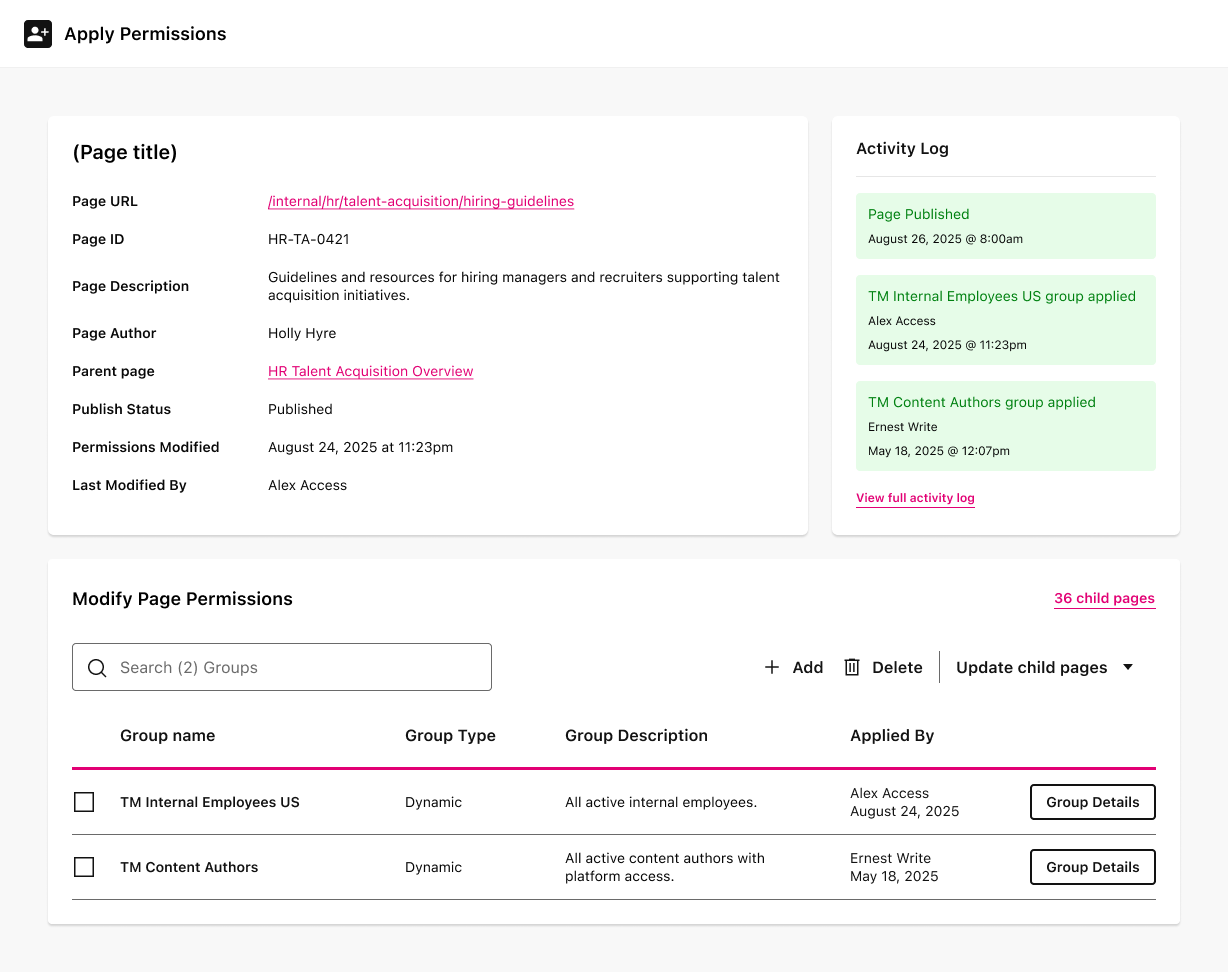
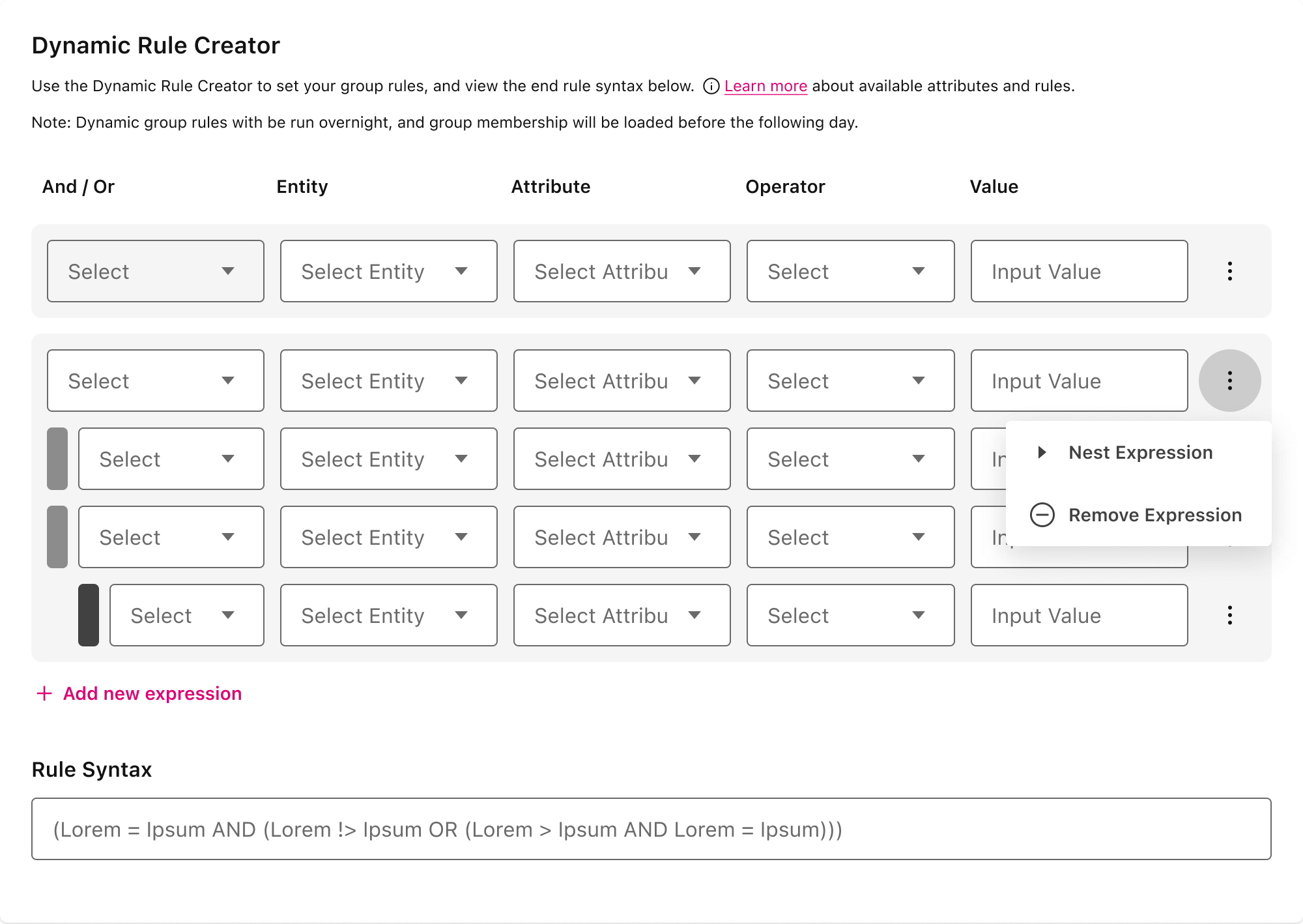
The first two rule builders failed accessibility review. The third borrowed from Salesforce.
The first rule builder exposed three add-buttons whose behavior wasn't obvious even to me, and a table that only allowed rows at the end. I grouped the expressions, moved nesting into a row menu, and darkened the nested signifiers to hit AAA contrast.
The accessibility team rejected it anyway - nested blocks weren't traceable by screen readers, the format broke under standard table CSS, and there was no room for validation errors. The fix came from Salesforce's tree grid: collapsible rows for nested values, sized to hold text and errors at a 1200px floor.
Built for someone who already knew the schema
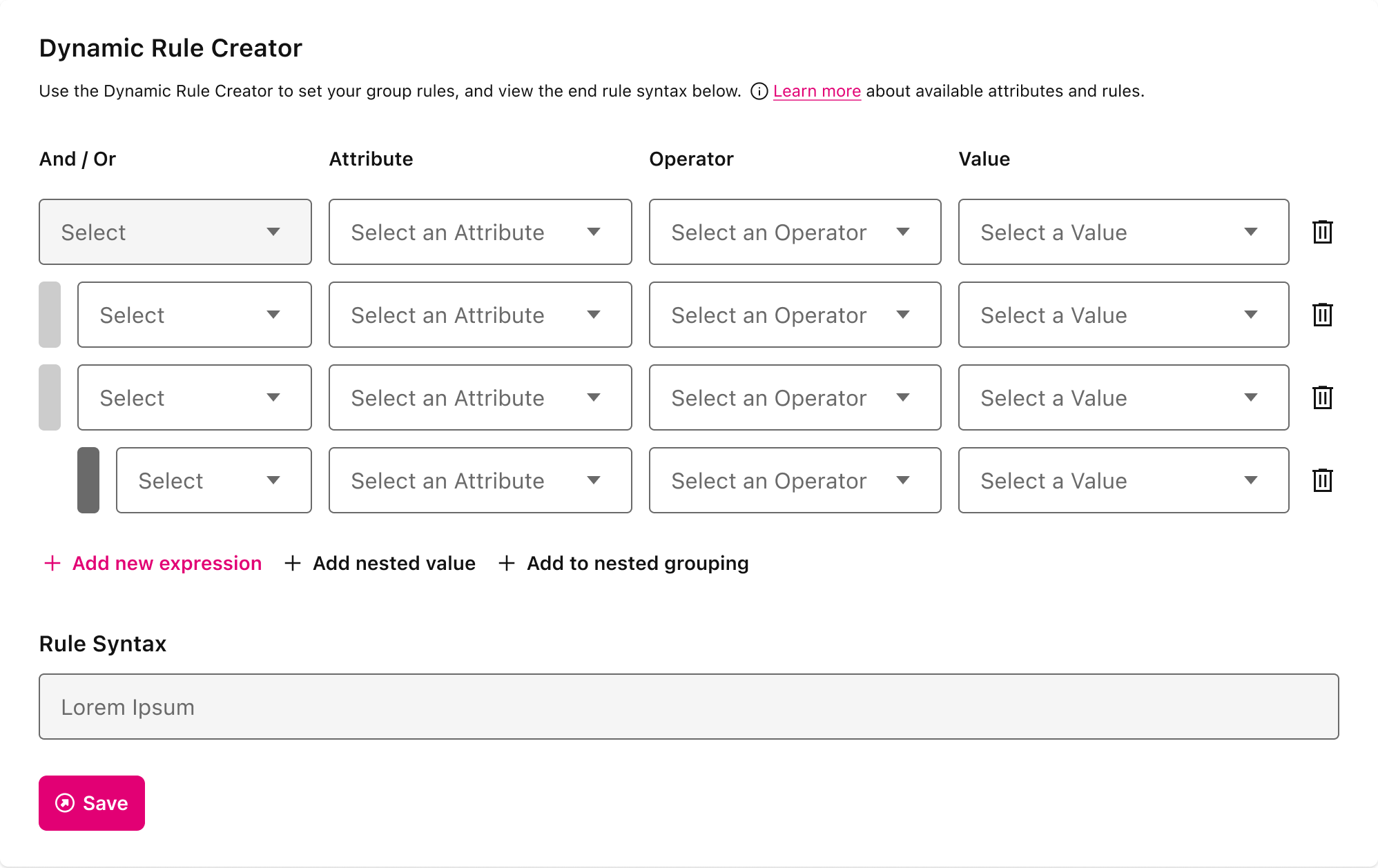
Better interaction, still not accessible
What shipped
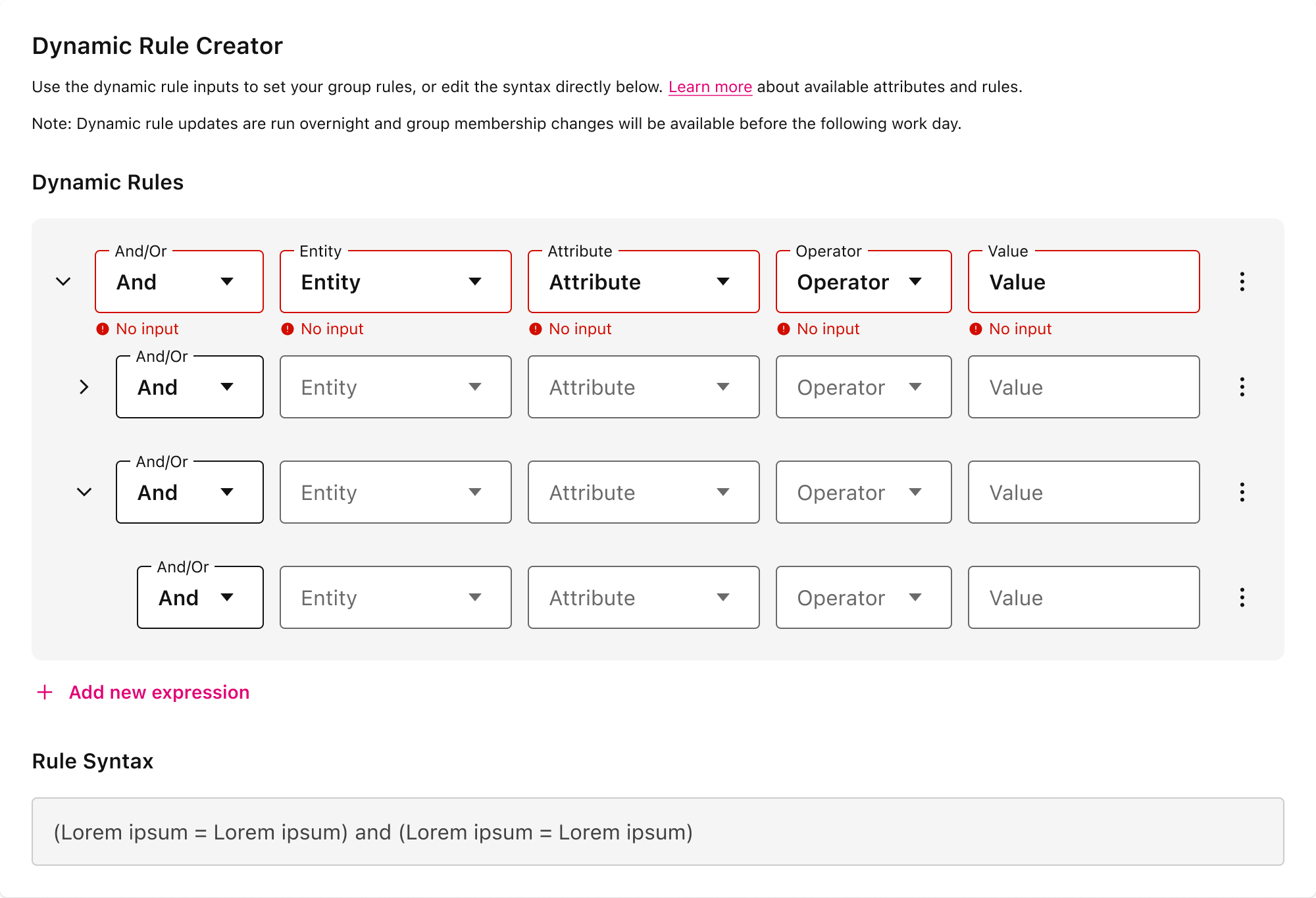
Labels authors can read, not database columns.
The builder still had to speak HR data. UXP exposed fields like Leader 0-8 with nothing telling an author which one meant VP. I inventoried 39 attributes: cut 15, renamed 15, left 9 unchanged, so rule rows read in plain language. A live syntax view stays available for advanced operators.
Leader 0 Email Employee - CEO Leader 3 Email Employee - VP Leader 8 Email Employee - Manager Employee Type Pay Type Department Functional Group +30 more audited across cut, renamed, and kept.
Familiar patterns, safer defaults, and errors caught at the moment of entry.
The platform had no established patterns for search, tables, filtering, or inline validation. I designed them to align with the new design system’s semantic tokens and interaction patterns. Purpose-built for Permissions, reviewed with the DS team and a11y partner, and signed off before ship.
Inheritance is an explicit author action, never a silent cascade.
Automatic inheritance wasn’t technically feasible at migration scale, and most alternatives were too complex to build or too opaque for authors. Instead, authors choose when parent access flows to child pages, with clear control over which groups apply. Visible, reversible, auditable. A later enhancement let pages inherit from already-permissioned parents, cutting effort further.
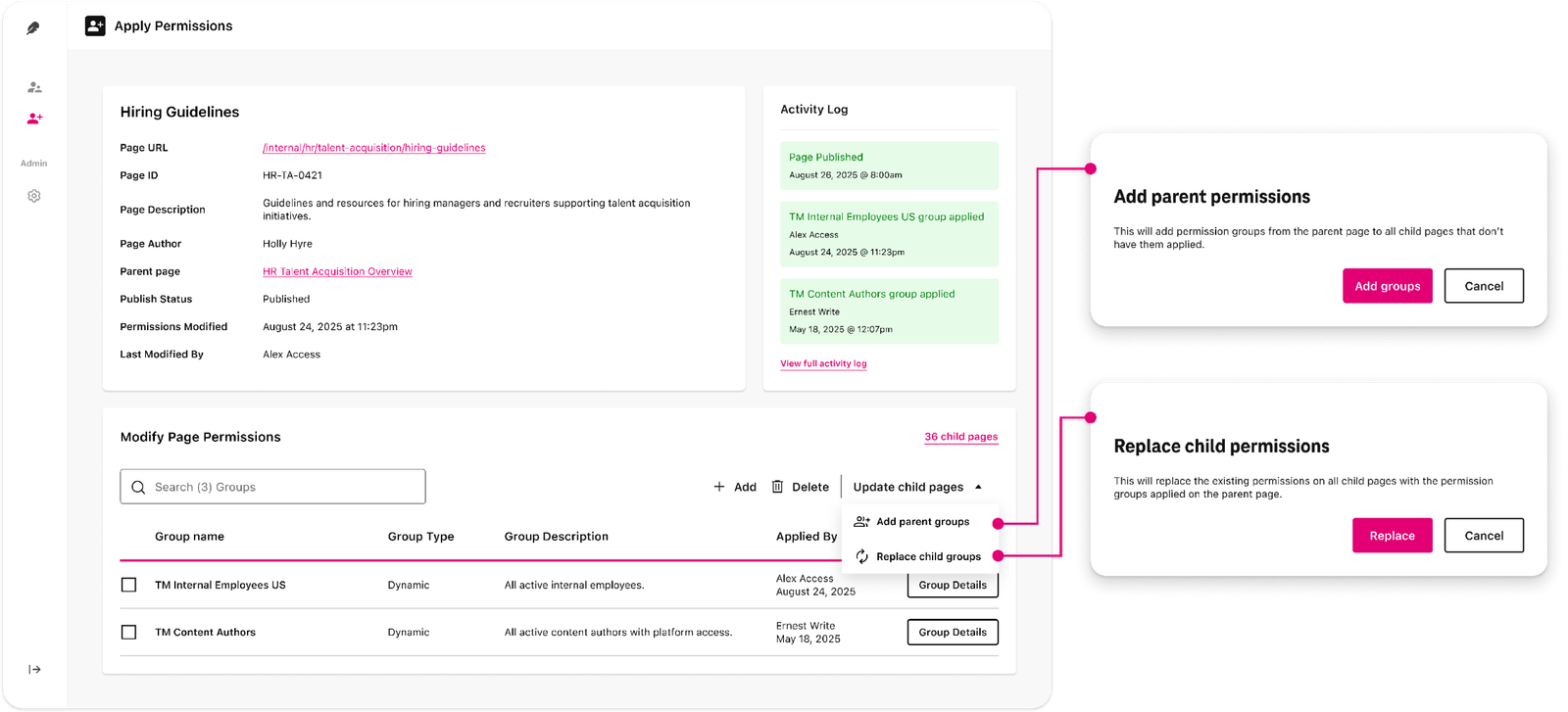
Content is open by default and locked down only where compliance requires it, so most of the intranet stays usable without maintaining permissions on every page.
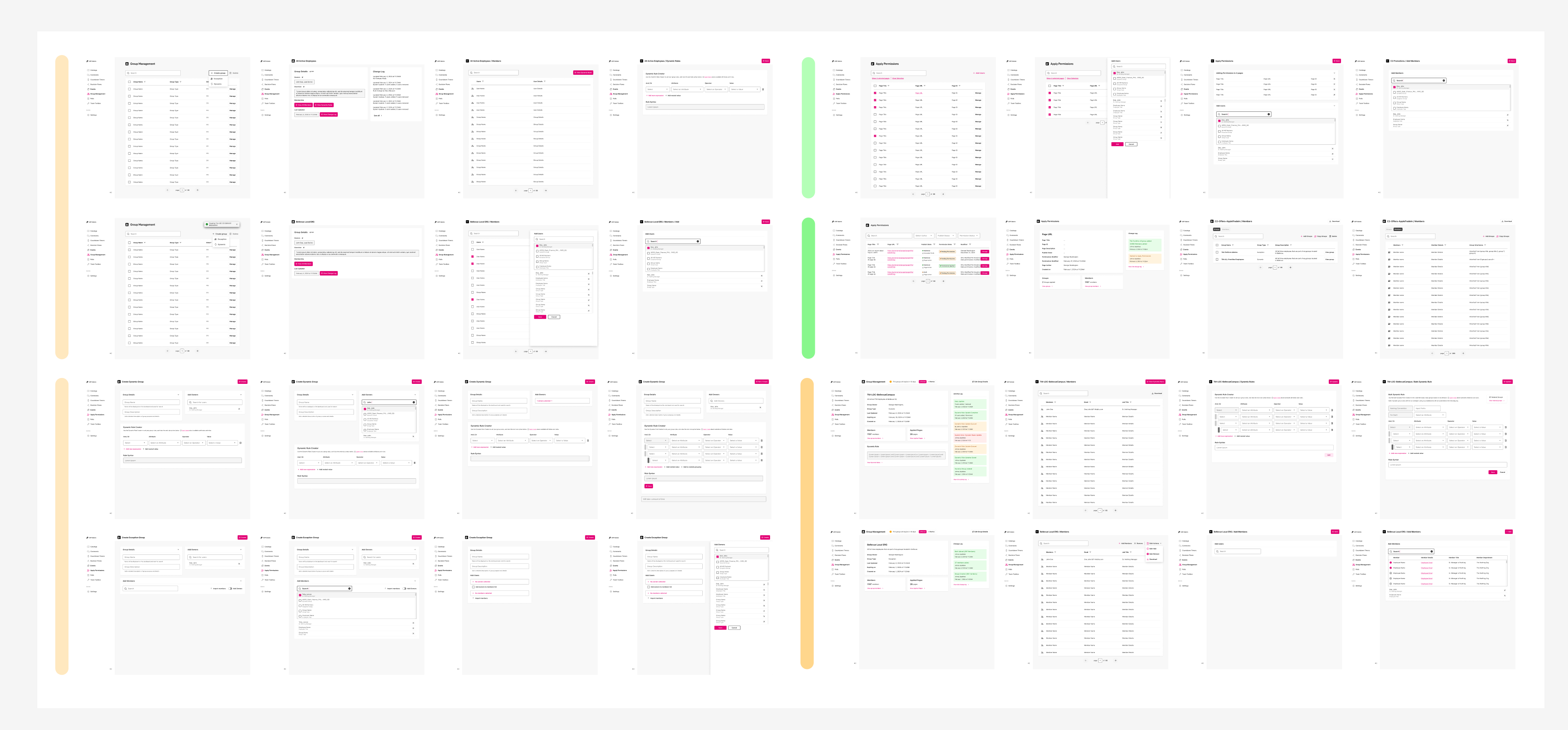
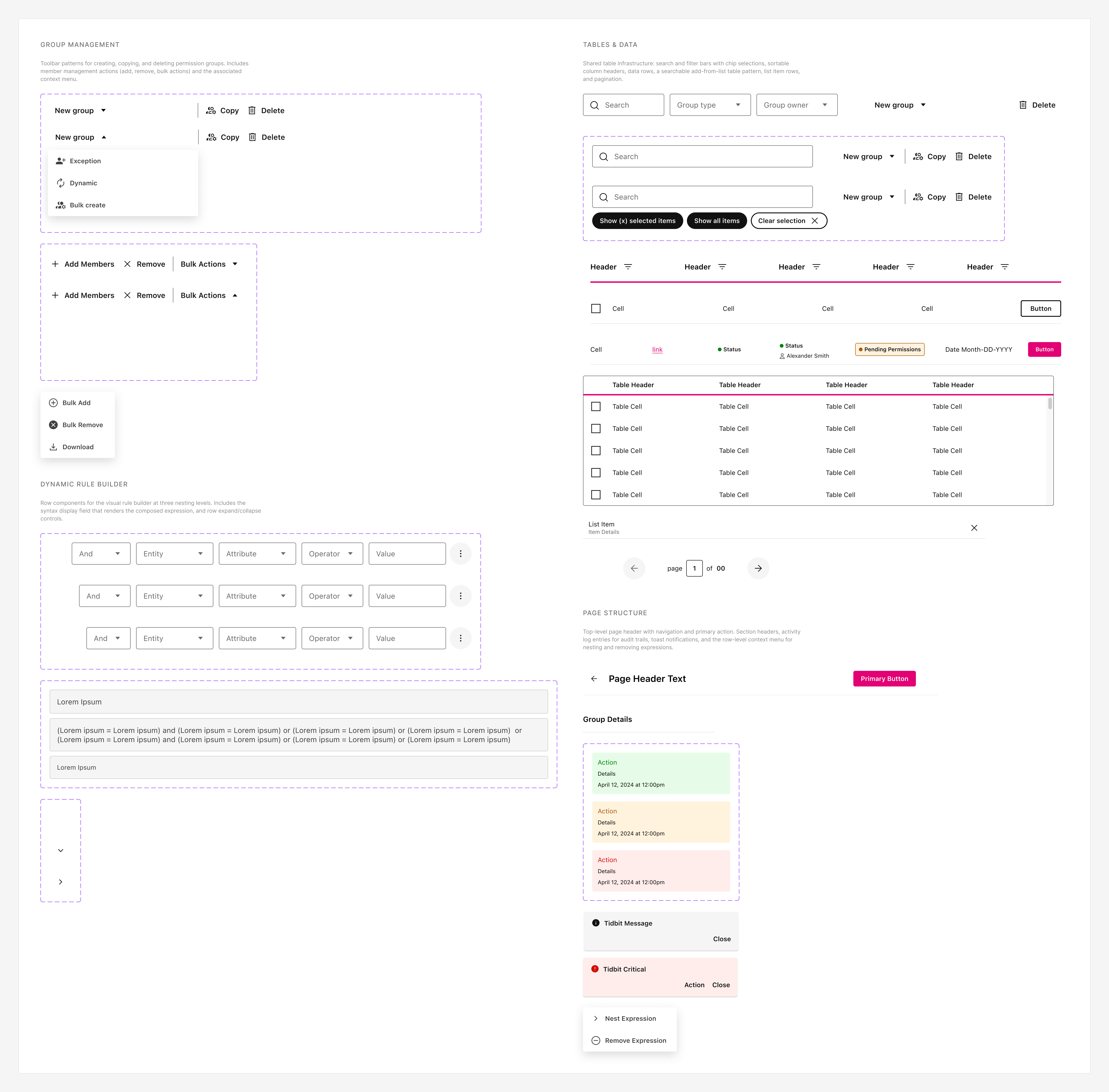
50+ screens, ~5 flows, one component system.
I built 50+ screens, working through iterations quickly while developing components to keep consistency as we moved toward finalized patterns. That reduced tech debt and made new enhancements faster to ship.
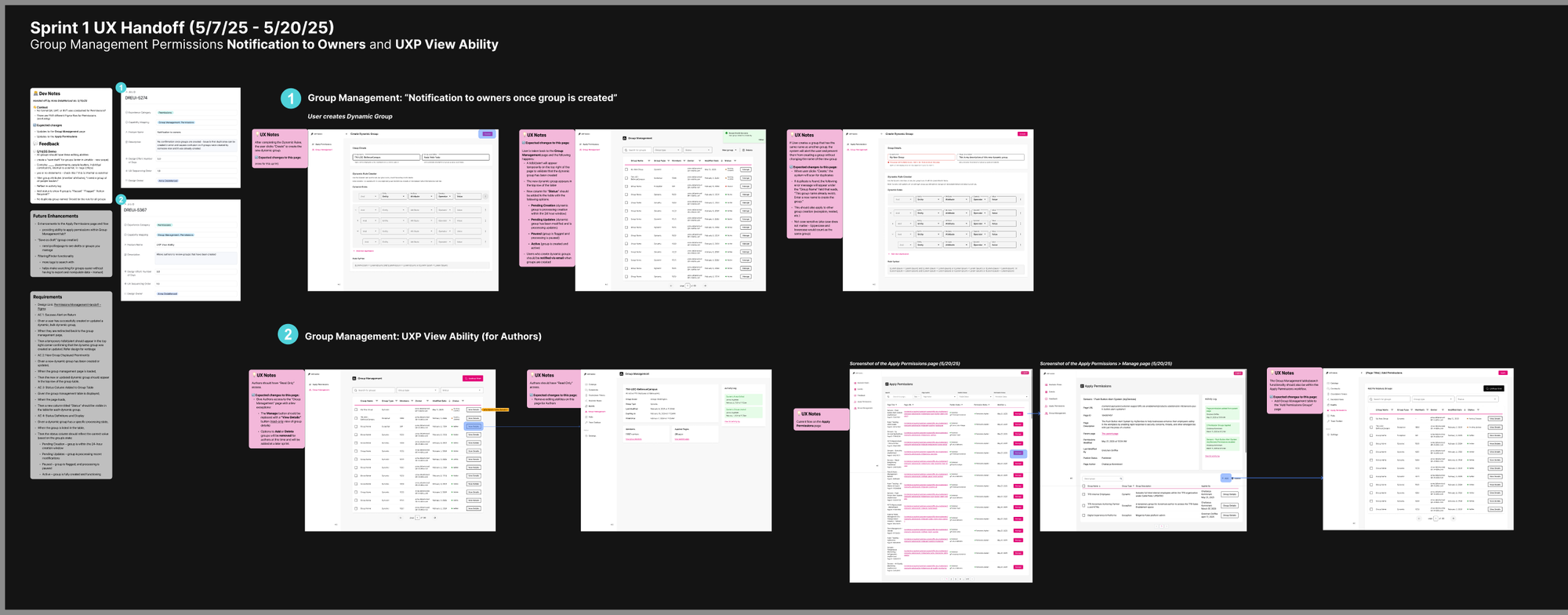
Model held months after launch. Built to scale safely.
I validated against live HR data before the build finished: SQL, Postman, and cron behavior against real records. That surfaced overnight sync, mismatched attribute labels, and other gaps the spec never mentioned. I wrote the admin/author guides and a failsafe BRD, and onboarded content teams before platform go-live.
Key takeaways
- 01 Governance works when it’s built directly into the model, not documented in static policy files.
- 02 Design for the least-technical owner. Gating complexity makes the system safer for everyone, including admins.
- 03 Surfacing the primary constraints (overnight sync, opaque HR attributes, mismatched labels) required testing against live data, not reading them off the spec.